The Hidden Cost Sitting in Your Ticket Queue
Your Level 1 support team is answering the same twelve questions. Again. Password resets, VPN configuration, printer drivers, software access requests - the same issues, cycling through your queue every week. Meanwhile, your documentation exists somewhere across a SharePoint site, a Confluence wiki, a handful of PDF runbooks, and the collective memory of three engineers who've been there since the beginning.
This is not a staffing problem. It is a knowledge architecture problem.
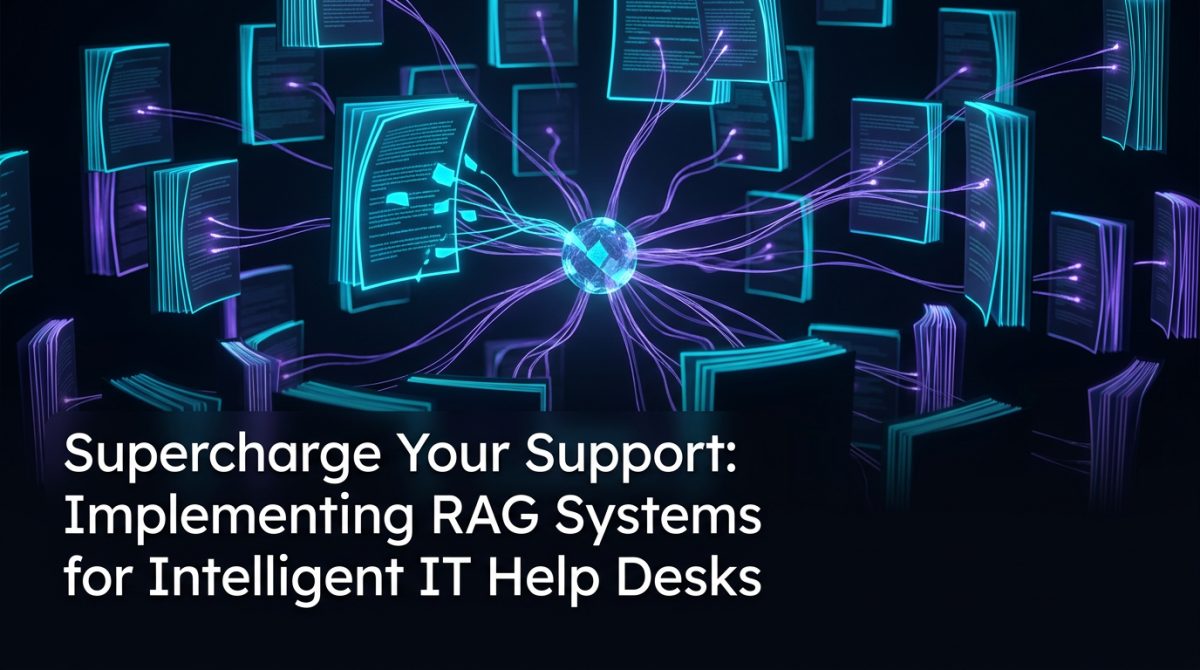
Retrieval-Augmented Generation (RAG) applied to IT support changes the equation. Instead of hiring more Level 1 agents to process repetitive tickets, or building rigid chatbot decision trees that break the moment someone phrases a question differently, RAG IT support systems can surface accurate, context-aware answers from your actual documentation - in real time, at scale, without hallucinating procedures that don't exist in your environment.
Here is how to implement one that actually works.
What RAG Actually Does in a Support Context
Before getting into implementation, it is worth being precise about what RAG is and is not. A RAG system does not train a model on your data. It retrieves relevant chunks of your existing documentation at query time and passes them to a language model as context, so the model's response is grounded in your specific content rather than general training data.
In practical terms, this means:
- A technician asks: "How do I configure MFA for a new contractor account in our Azure AD tenant?"
- The retrieval layer searches your embedded knowledge base and pulls the three most relevant document chunks - your Azure AD onboarding runbook, your contractor access policy, and a recent change log note about MFA exceptions
- The language model synthesises those chunks into a direct, accurate answer, with citations pointing back to the source documents
The key distinction from a standard chatbot is grounding. The model cannot fabricate a procedure because every response is anchored to retrieved documents. If the documentation does not cover a scenario, the system should say so - and that gap becomes a signal for your knowledge management process.
Building the Knowledge Foundation First
A RAG system is only as good as the documents it retrieves from. This is where most implementations stumble. Organisations feed in years of unstructured, contradictory, or outdated documentation and then wonder why the outputs are unreliable.
Before writing a single line of code, audit your knowledge base:
Remove or archive outdated content. A runbook for a system you decommissioned two years ago will confuse retrieval. Tag documents with a last_verified date and filter out anything beyond your acceptable staleness threshold during ingestion.
Standardise document structure. Chunking strategies work better when documents follow consistent patterns. A runbook with clear headings, numbered steps, and explicit scope statements will chunk and retrieve more reliably than a wall of prose.
Identify coverage gaps. Map your top 20 ticket categories against your documentation. Where there is no document, write one before you build the system. RAG cannot retrieve what does not exist.
A practical chunking approach for technical documentation:
# Chunk by section heading rather than fixed token count
# This preserves procedural context within each chunk

def chunk_by_heading(document_text, max_tokens=512):
    sections = split_on_headings(document_text)
    chunks = []
    for section in sections:
        if token_count(section) <= max_tokens:
            chunks.append(section)
        else:
            # Further split long sections with overlap
            chunks.extend(sliding_window_split(section, max_tokens, overlap=50))
    return chunks
Heading-based chunking is particularly valuable for IT runbooks because a procedure for "Resetting a User Password in Active Directory" should stay together as a unit - splitting it mid-step destroys its usefulness.
Choosing the Right Retrieval Architecture
For most Australian mid-market organisations, the practical choice is between a managed vector database service and a self-hosted option. The decision usually comes down to data sovereignty requirements and operational overhead.
Managed options like Azure AI Search, AWS OpenSearch with vector support, or Pinecone offer faster time to value and handle scaling automatically. If your organisation already has a Microsoft 365 or Azure footprint, Azure AI Search integrates cleanly with SharePoint and Teams, which is where most IT documentation already lives.
Self-hosted options like Qdrant or Weaviate give you full control over where data resides - relevant if you are in a regulated industry or have strict data handling obligations under Australian Privacy Act requirements.
For the embedding model, text-embedding-ada-002 from OpenAI remains a solid baseline for English-language technical content. If you are running entirely on-premises, sentence-transformers models like all-mpnet-base-v2 perform well and run on modest hardware.
Hybrid retrieval - combining dense vector search with BM25 keyword search - consistently outperforms either method alone for technical queries. A user searching for "BSOD error 0x0000007E" benefits from exact keyword matching that pure semantic search can miss.
A Realistic Implementation Scenario
Consider a 600-person professional services firm with a four-person IT support team handling roughly 300 tickets per month. Around 60 per cent of those tickets are categorised as Level 1 - password resets, software installation requests, VPN issues, and printer configuration.
The team builds a RAG IT support assistant integrated into their existing Microsoft Teams environment. The knowledge base ingests:
- 47 runbooks from Confluence
- 12 policy documents from SharePoint
- Exported resolution notes from their top 50 recurring ticket types in Jira Service Management
After a four-week build and two weeks of internal testing, the assistant goes live as a first-response layer. Users submit a ticket via Teams; the assistant responds within seconds with a step-by-step resolution attempt and links to the relevant documentation.
Results after 90 days:
- 38 per cent of Level 1 tickets resolved without human intervention
- Average time to first response dropped from 4.2 hours to under 2 minutes
- The four-person team redirected roughly 8 hours per week toward infrastructure projects that had been backlogged for months
Critically, every unresolved query was logged with the retrieved documents and the user's original question. This created a structured feedback loop: gaps in retrieval quality pointed directly to missing or poorly written documentation, which the team addressed iteratively.
Connecting RAG to Your Ticket Workflow
A RAG system that lives outside your ticketing platform is a missed opportunity. The real gains in ticket resolution and customer experience come from embedding the assistant directly into the workflow.
Practical integration points:
Auto-triage on ticket creation. When a ticket is submitted, the RAG system classifies it against your category taxonomy and suggests a priority level based on similar historical tickets. This removes manual triage from the queue.
Agent assist mode. Rather than replacing Level 1 agents, surface retrieved documentation directly in the agent's interface as they work a ticket. The agent sees the three most relevant runbook sections alongside the ticket - no tab-switching, no searching Confluence manually.
Resolution suggestion with confidence scoring. Return a confidence score alongside every suggested resolution. Below a threshold (say, 0.65 cosine similarity on the top retrieved chunk), route directly to a human agent rather than attempting an automated response. This prevents the system from confidently answering questions it has no good documentation for.
def route_ticket(query, retriever, threshold=0.65):
    results = retriever.retrieve(query, top_k=3)
    top_score = results[0].similarity_score

    if top_score >= threshold:
        return generate_response(query, results)
    else:
        return escalate_to_human(query, results, reason="low_confidence")
Post-resolution feedback capture. Ask users a single question after ticket closure: "Did this resolve your issue?" Binary feedback at scale is enough to identify retrieval failures and refine your chunking or documentation quality over time.
What to Do Next
If you are evaluating RAG IT support for your organisation, the path forward is straightforward but requires honest assessment before you start building.
This week:
- Pull your last 90 days of ticket data and categorise by type. Identify your top 10 recurring Level 1 issues.
- Check whether documentation exists for each. If it does not, write it before you build anything.
In the next month:
- Run a proof of concept using a single, well-documented category - VPN troubleshooting or software access requests are good starting points.
- Use Azure AI Search or a local Qdrant instance depending on your data requirements. Connect it to a small, curated document set and test retrieval quality manually before adding a language model layer.
Before you scale:
- Establish a documentation review cadence. A RAG system degrades as documentation ages. Assign ownership of knowledge management to a specific person or team, not a shared responsibility that no one prioritises.
- Define your escalation logic explicitly. Know in advance what confidence threshold triggers human review, and instrument your system to surface those escalations for analysis.
The organisations getting real value from RAG IT support are not the ones who deployed the most sophisticated architecture. They are the ones who treated their knowledge base as a product, maintained it deliberately, and built feedback loops that made the system more accurate over time.
The technology is mature enough. The bottleneck is almost always the documentation.
Frequently Asked Questions
Q: What is RAG IT support and how is it different from a standard chatbot?
RAG (Retrieval-Augmented Generation) IT support retrieves relevant chunks from your actual documentation at query time and passes them to a language model as context, grounding every response in your specific content. Unlike a standard chatbot with rigid decision trees, a RAG system adapts to how questions are phrased and cannot fabricate procedures because its answers are anchored to retrieved documents.
Q: How do I prepare my knowledge base before implementing a RAG system?
Start by auditing your existing documentation - remove or archive outdated content, standardise document structure with clear headings and numbered steps, and identify gaps by mapping your top ticket categories against available documentation. Writing missing documentation before you build the system is critical, because RAG cannot retrieve information that does not exist.
Q: What results can an Australian mid-market organisation realistically expect from RAG IT support?
Based on a realistic implementation scenario, organisations can expect around 38 per cent of Level 1 tickets to be resolved without human intervention and average response times to drop from several hours to under two minutes. The support team can then redirect recovered hours toward higher-value infrastructure and project work that had previously been backlogged.
Q: How do I prevent the RAG system from giving confidently wrong answers?
Implement confidence scoring on retrieved results and set a similarity threshold - for example, 0.65 cosine similarity - below which the system automatically escalates the ticket to a human agent rather than attempting an automated response. Combining this with post-resolution feedback capture allows you to identify retrieval failures and improve documentation quality over time.